

Integration Specifications
Prerequisites
Creating an OAuth client
- Log in to Deputy’s OAuth Clients page. Use an account with system administrator privileges, or the workspace owner account.
-
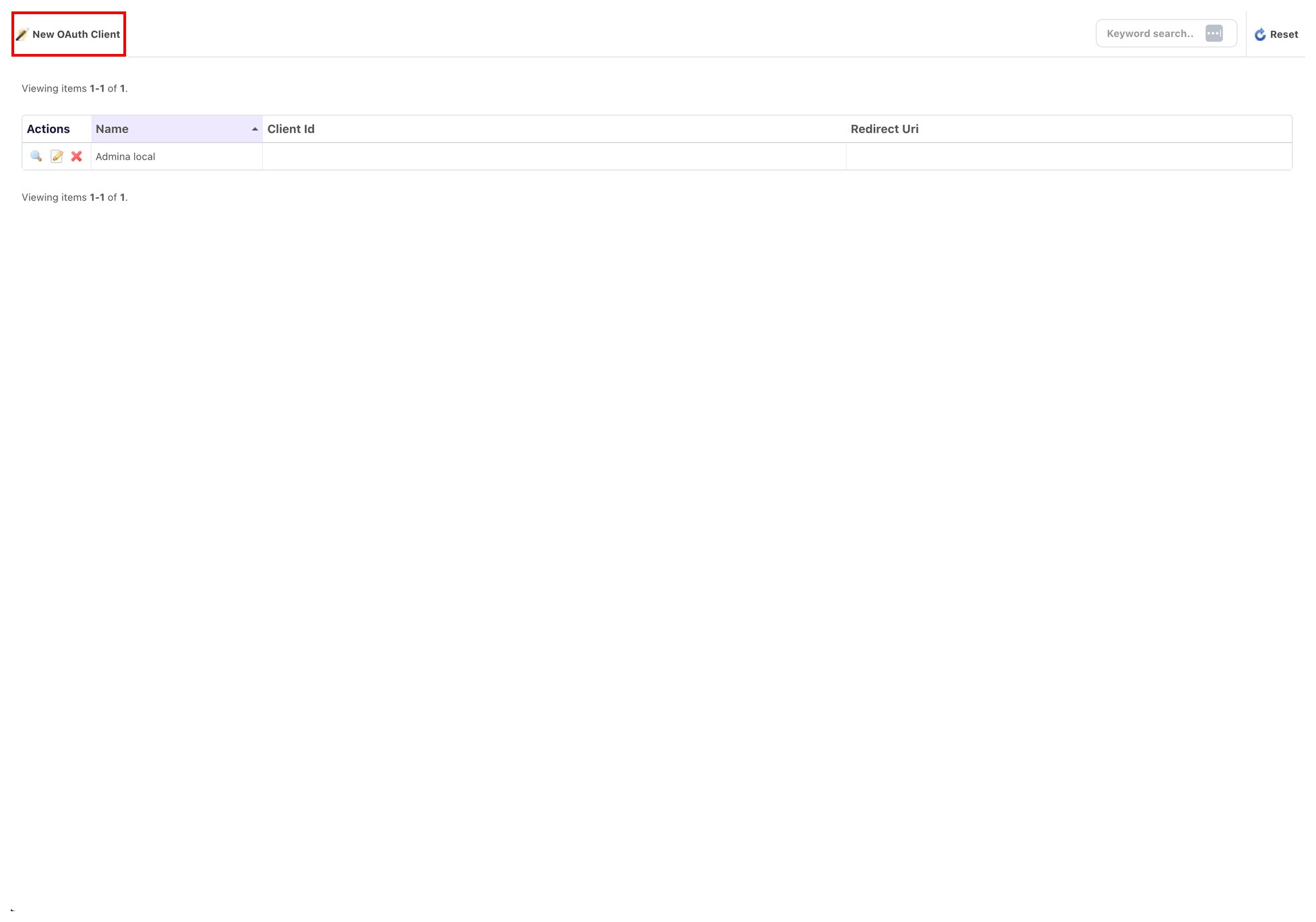
Click New OAuth Client at the top left of the screen.
-
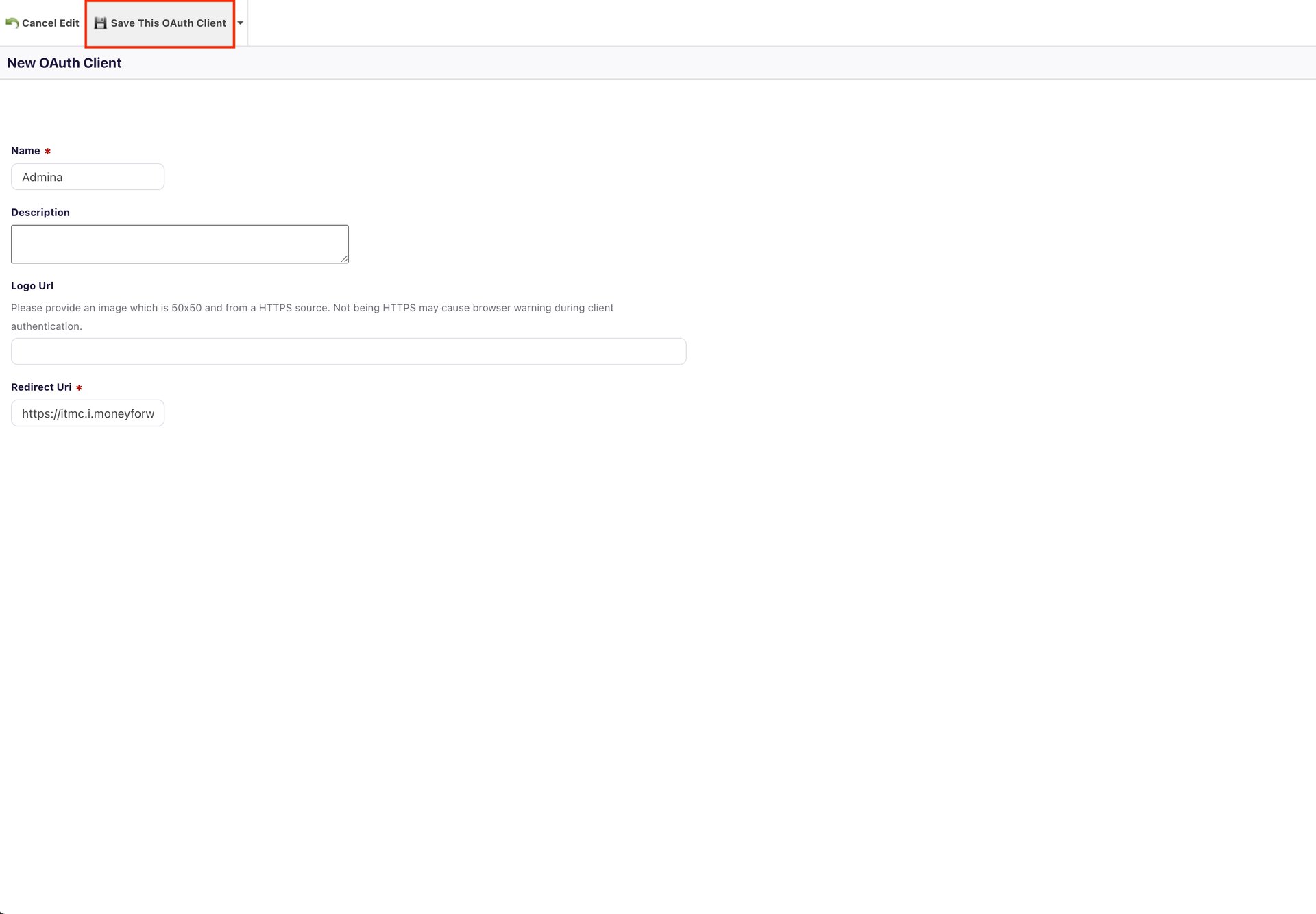
Enter any name for Name, enter the following for Redirect Uri, then click Save This OAuth Client.
- Copy and save the Client Id and Client Secret shown after saving.
Setting up the integration
- On the integration screen, search for Deputy.
-
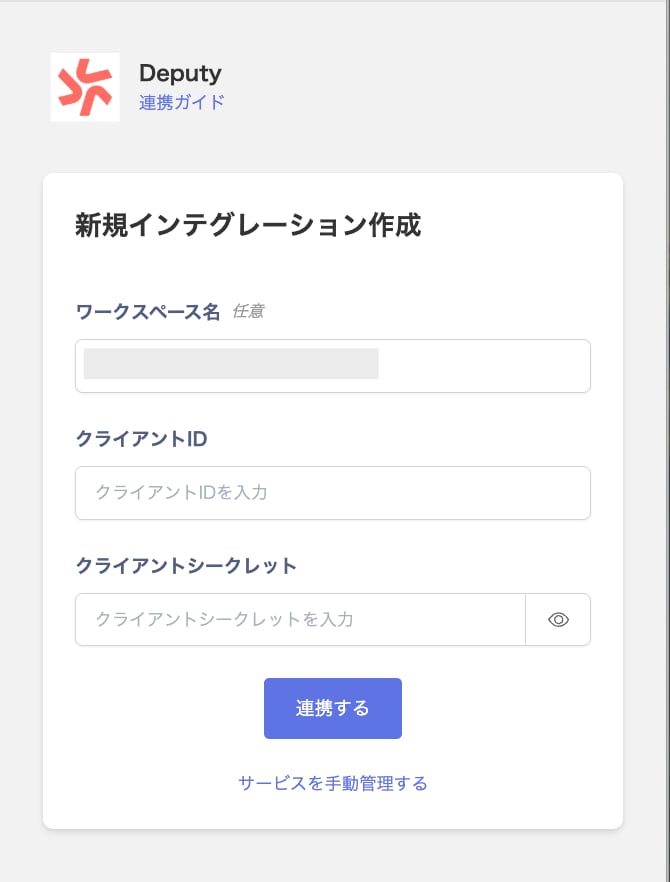
Enter the client ID and client secret from the previous step, then click Connect.
- Once the integration with Deputy succeeds, registered user information appears in the account list. If it doesn’t complete successfully, first try the steps in Troubleshoot SaaS integration errors. If that doesn’t resolve it, check Information to provide and contact support.