Prerequisites

Registering an OAuth application

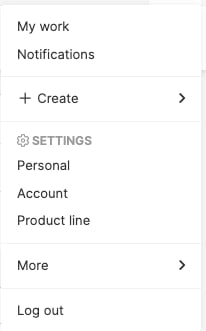
  1. Log in to Aha!, then click the avatar icon at the top right of the screen. Account menu
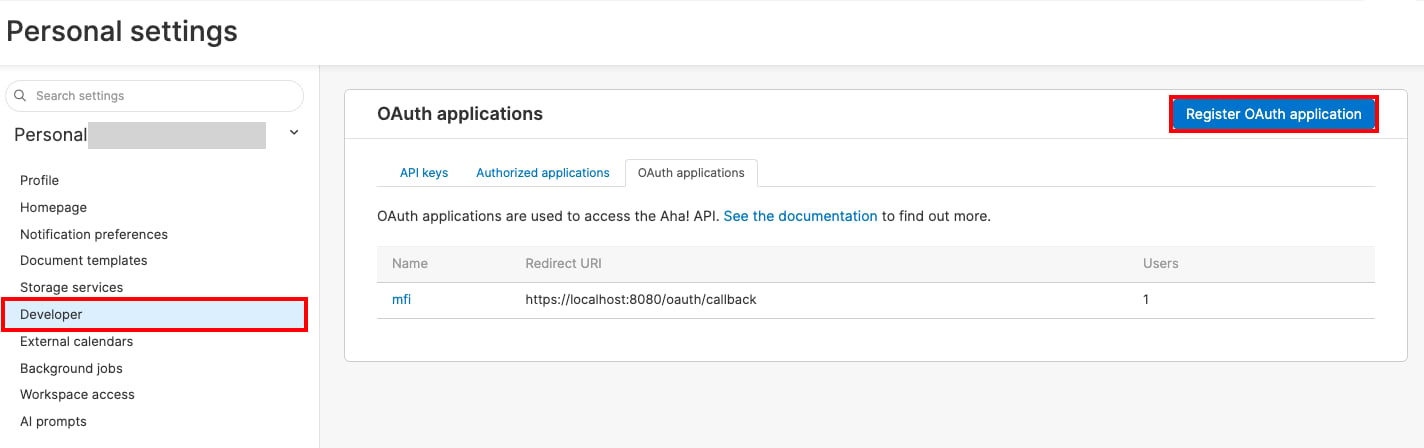
  2. Go to the Developer tab under Personal settings, then click Register OAuth application on the OAuth applications tab. OAuth applications list screen
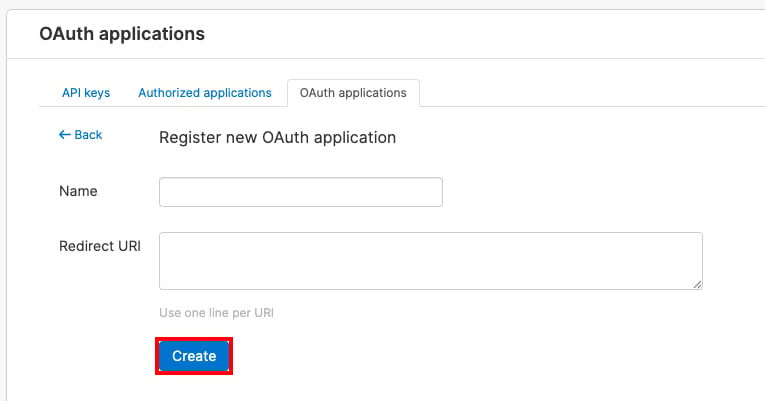
  3. Enter any name, enter the following as the Redirect URI, then click Create.
    Register OAuth application screen
  4. Click the name of the OAuth application you created. Check its Client ID, Client Secret, and Workspace Key (the subdomain part of your Aha! domain).

Setting up the integration

  1. On the integration screen, search for Aha!.
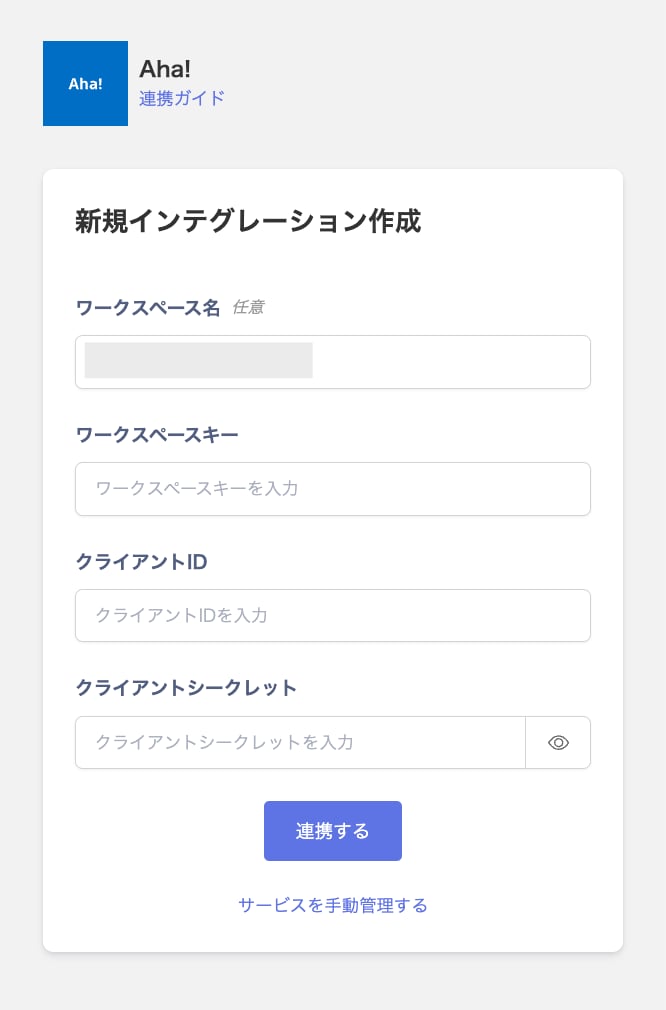
  2. Enter the workspace key, client ID, and client secret from the previous step, then click Connect. Integration setup screen
  3. Once the integration with Aha! succeeds, registered user information appears in the account list. If it doesn’t complete successfully, first try the steps in Troubleshooting failed SaaS integrations. If that doesn’t resolve it, check Information to provide and contact support.

Last modified on August 24, 2026