

Integration Specifications
Prerequisites
How to get an API key
-
After logging in to ClickHouse Cloud, click API keys in the left sidebar.

-
Click + New API key in the top right corner. Fill in the API key name and other required fields, then click Generate API key.
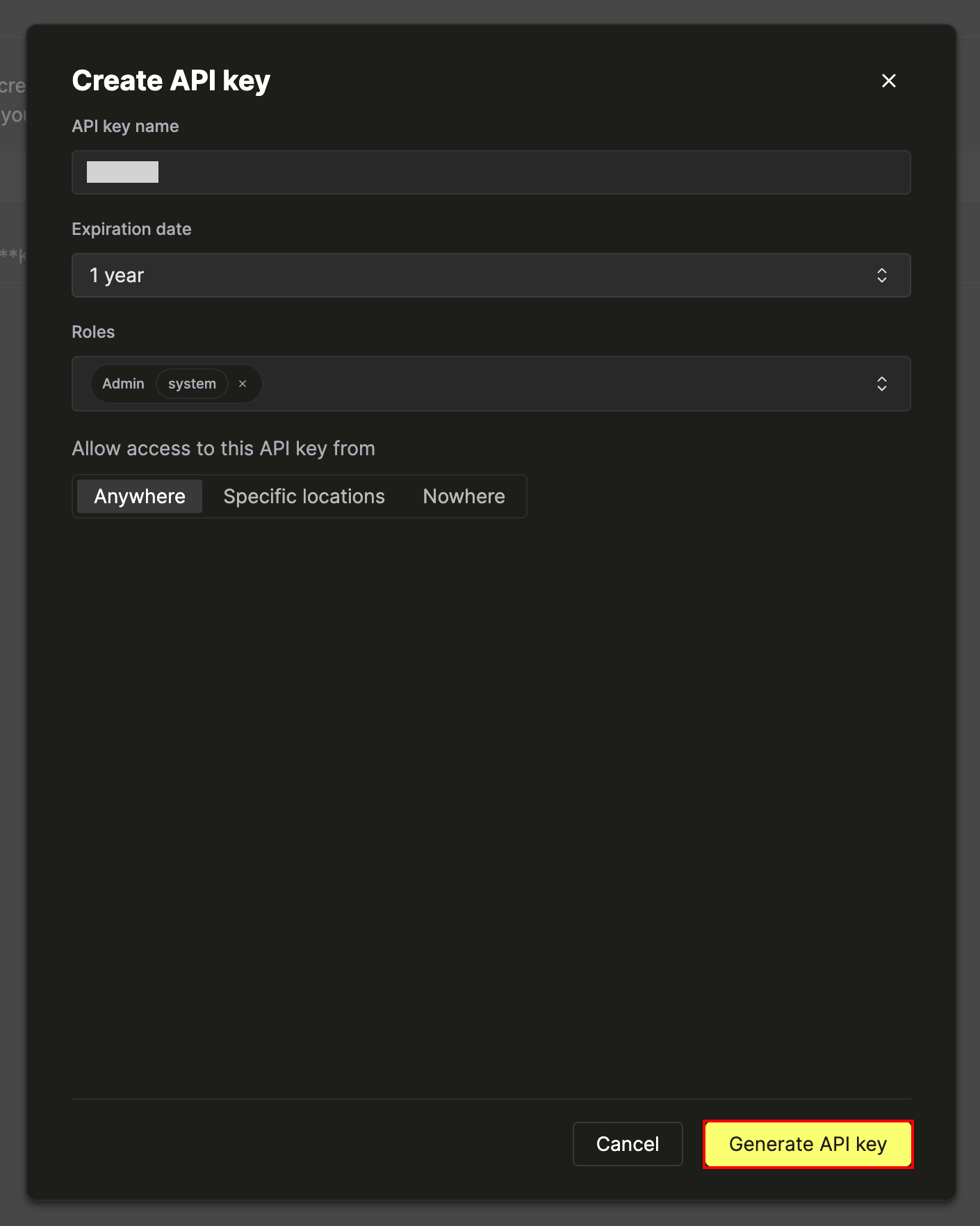
-
The Key ID and Key Secret are displayed. Save both values. Enter these as the Client ID and Client Secret on Admina’s integration screen.
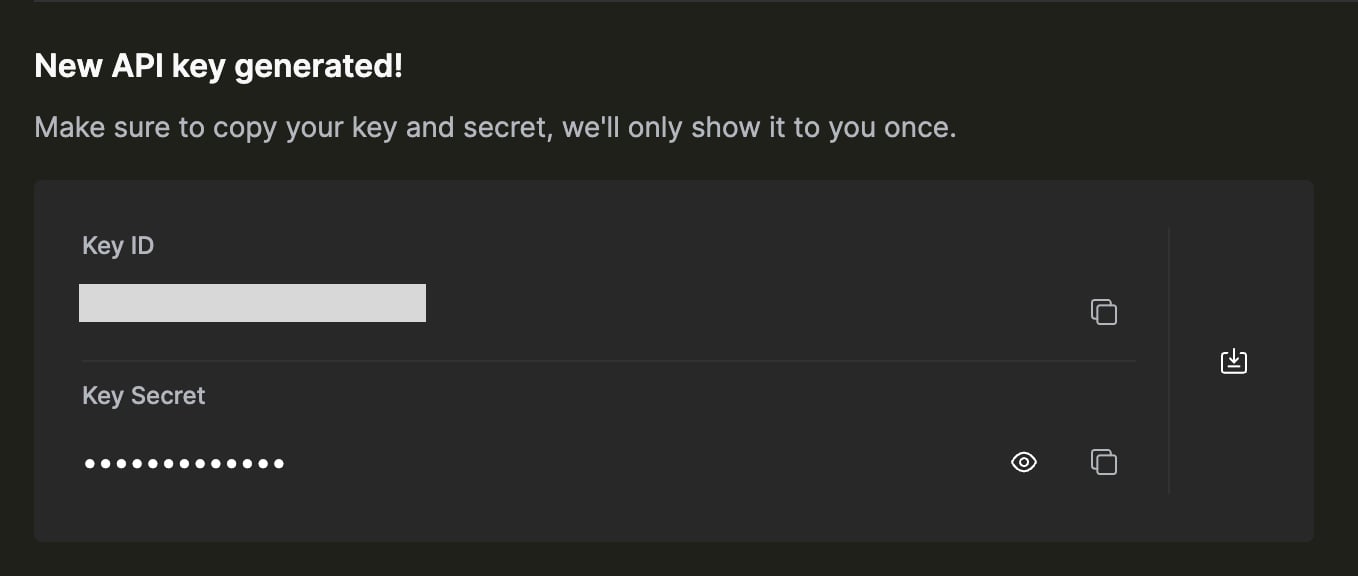
Setting up the integration
- Search for ClickHouse Cloud on the integration screen.
-
Enter the Key ID and Key Secret you obtained in the previous step as Client ID and Client Secret, then click Integrate.
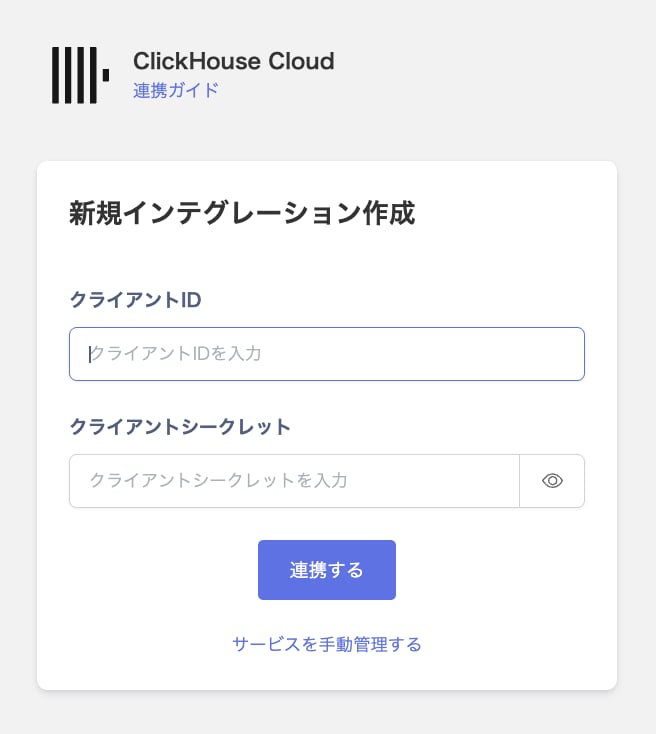
- When the integration with ClickHouse Cloud succeeds, registered user information appears in the account list. If it does not complete successfully, first try the steps in Troubleshoot SaaS integration errors. If the issue persists, check Information to provide and contact Support.