

Integration Specifications
To use these supported features, you need the following setup.In Auth0, create a Machine to Machine application and authorize it for the Auth0 Management API. Grant it the read:users, read:roles, and read:role_members scopes for fetching data. Also grant create:users and update:users for creating users and assigning roles, and delete:users for deleting users. For details, see Manage Users Using the Management API (external site).
Prerequisites
Getting your domain, client ID, and client secret
-
After logging in to Auth0, select Applications from the left navigation menu. Select an existing application from the list, or click Create Application to create a new one.
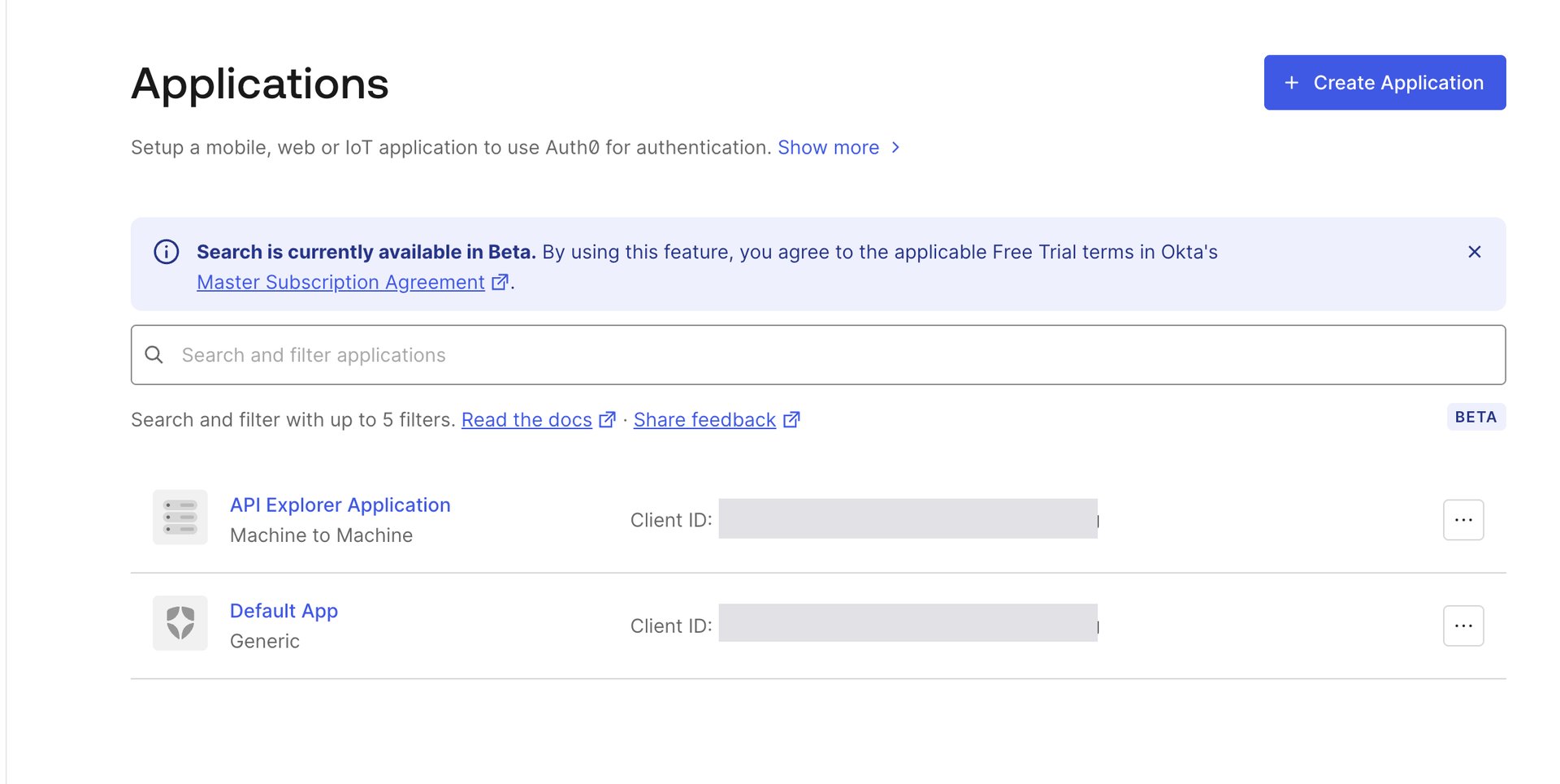
-
Open the Settings tab for the application you want to use, then check the Domain, Client ID, and Client Secret.
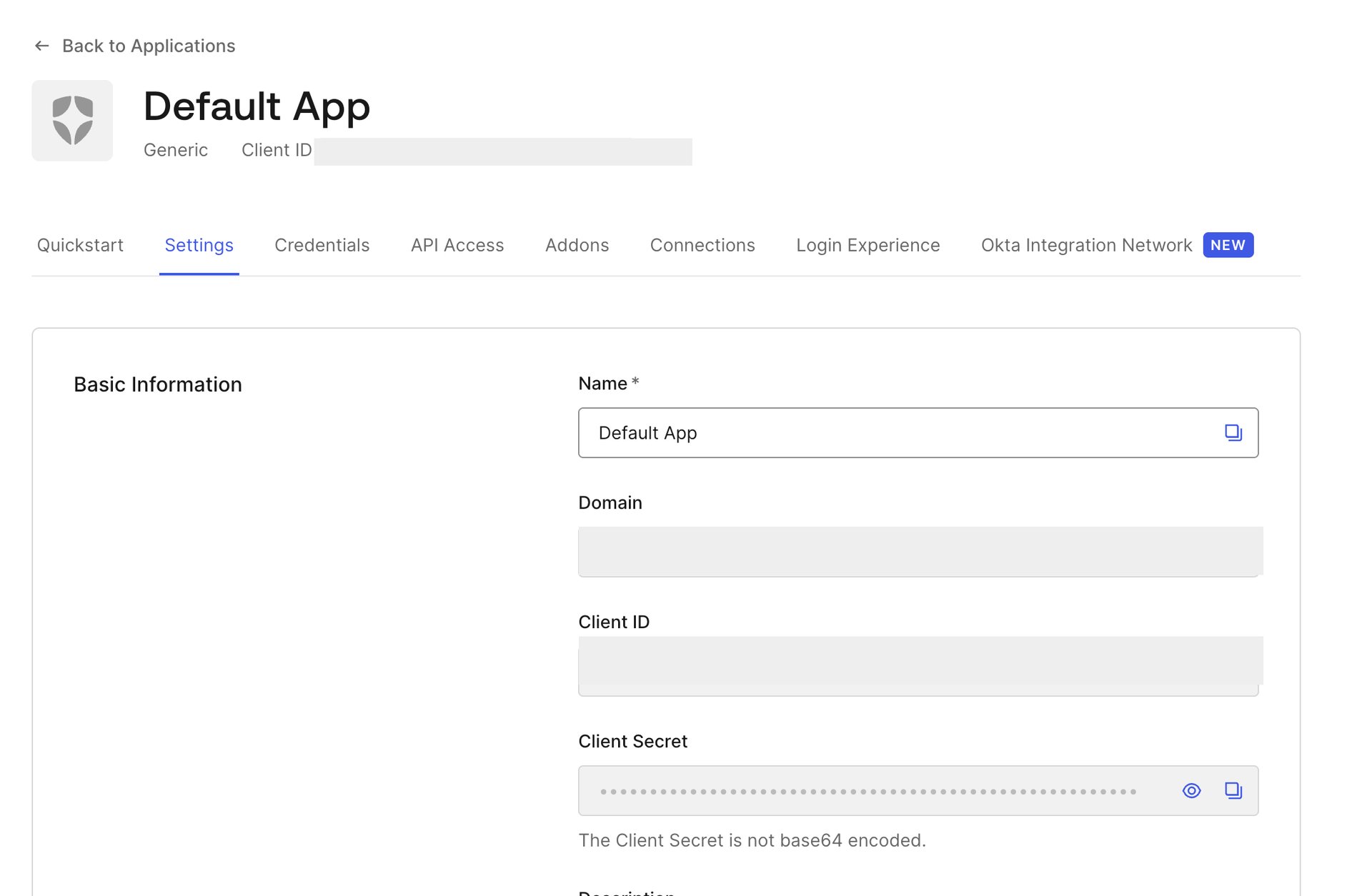
Setting up the integration
- On the integration screen, search for Auth0.
-
Enter the domain, client ID, and client secret from the previous step, then click Connect.
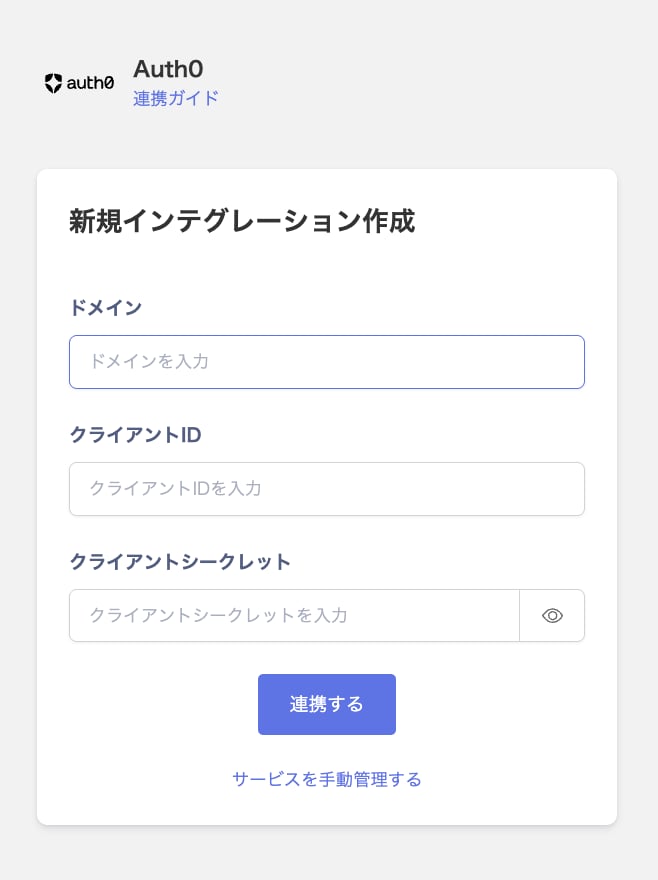
- Once the integration with Auth0 succeeds, registered user information appears in the account list. If it doesn’t complete successfully, first try the steps in Troubleshoot SaaS integration errors. If that doesn’t resolve it, check Information to provide and contact support.