

Integration Specifications
An account with administrator privileges is required for the integration.
Prerequisites
How to Log In
Go to the Dynatrace login page and enter your email address and password to log in.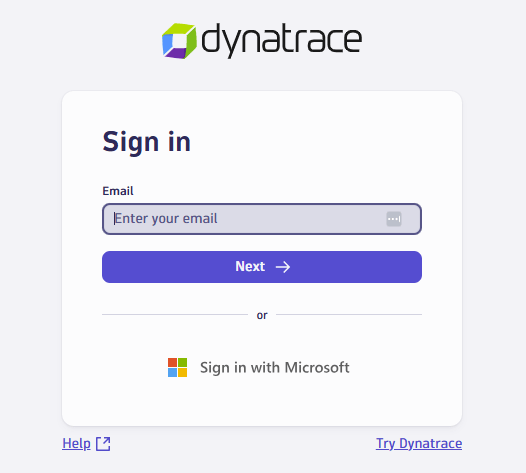
How to Find Your Workspace Key
After logging in to Dynatrace, check the URL. The highlighted part is your workspace key.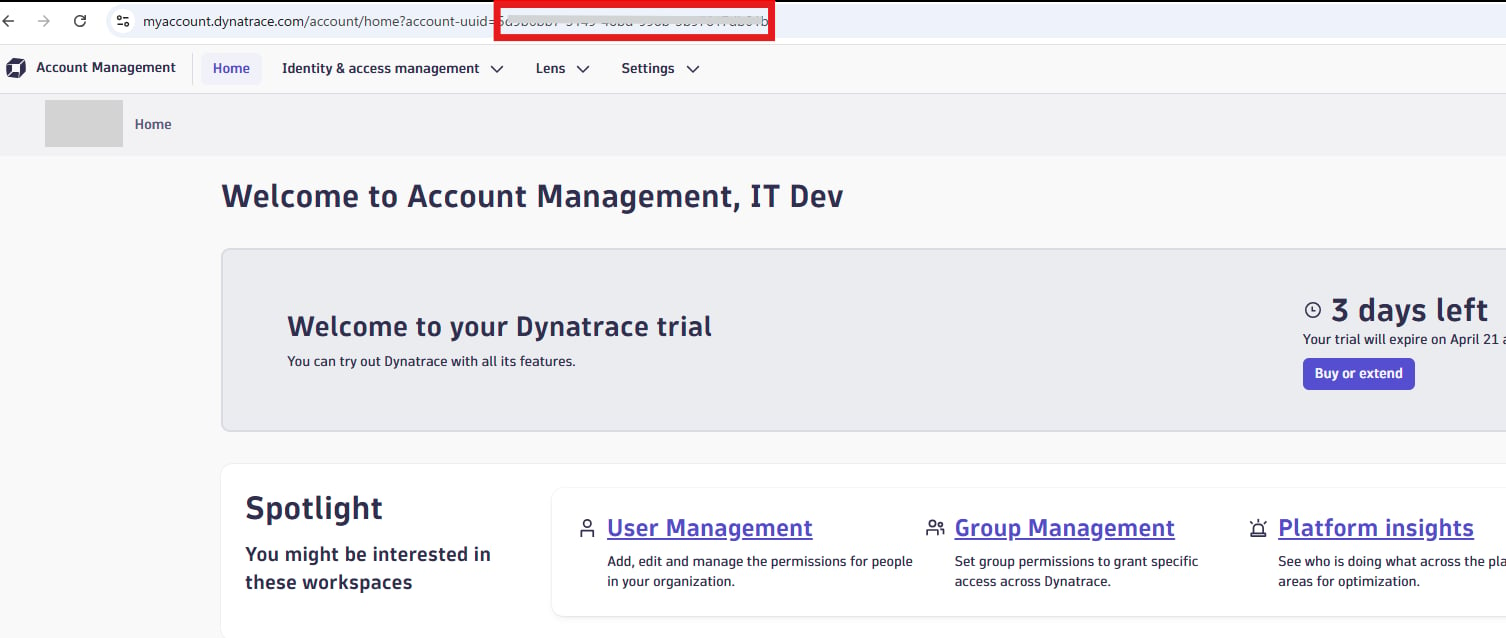
How to Obtain Your Client ID and Client Secret
-
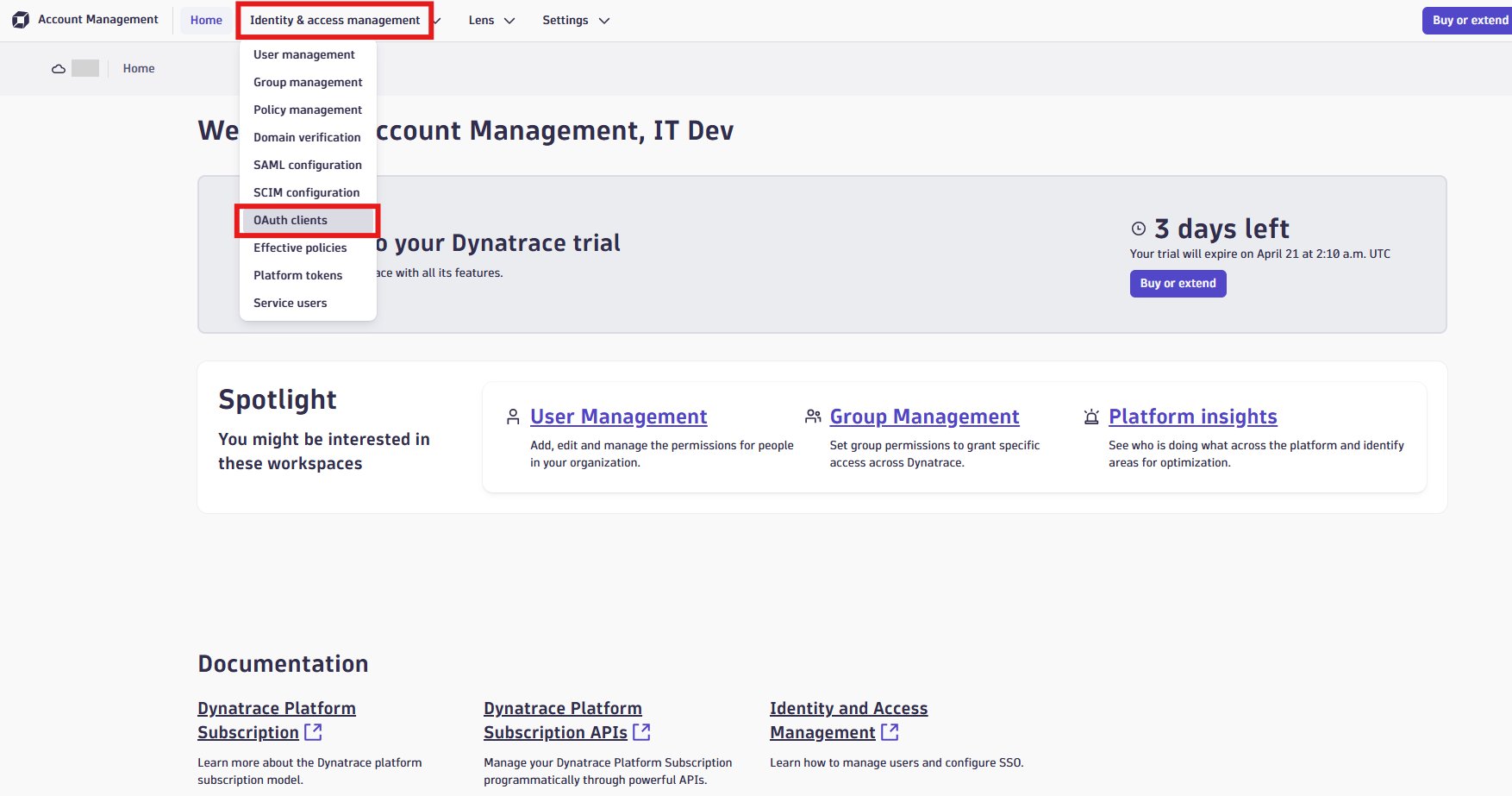
Click Identity & access management > OAuth clients.
-
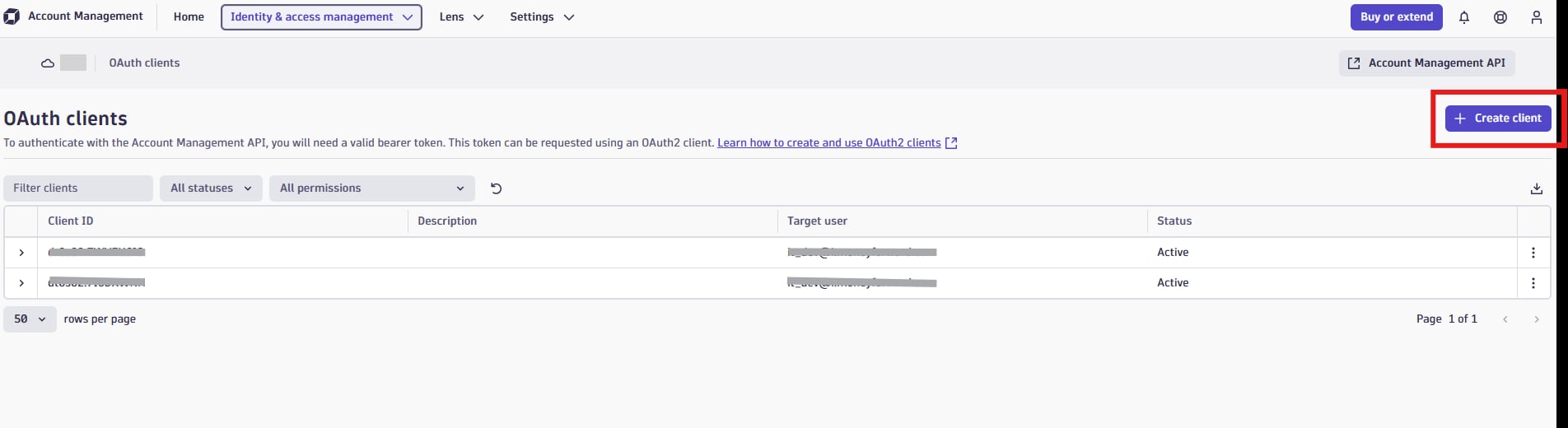
Click Create client.
-
Enter your email address, select the required scopes, and click Create client.
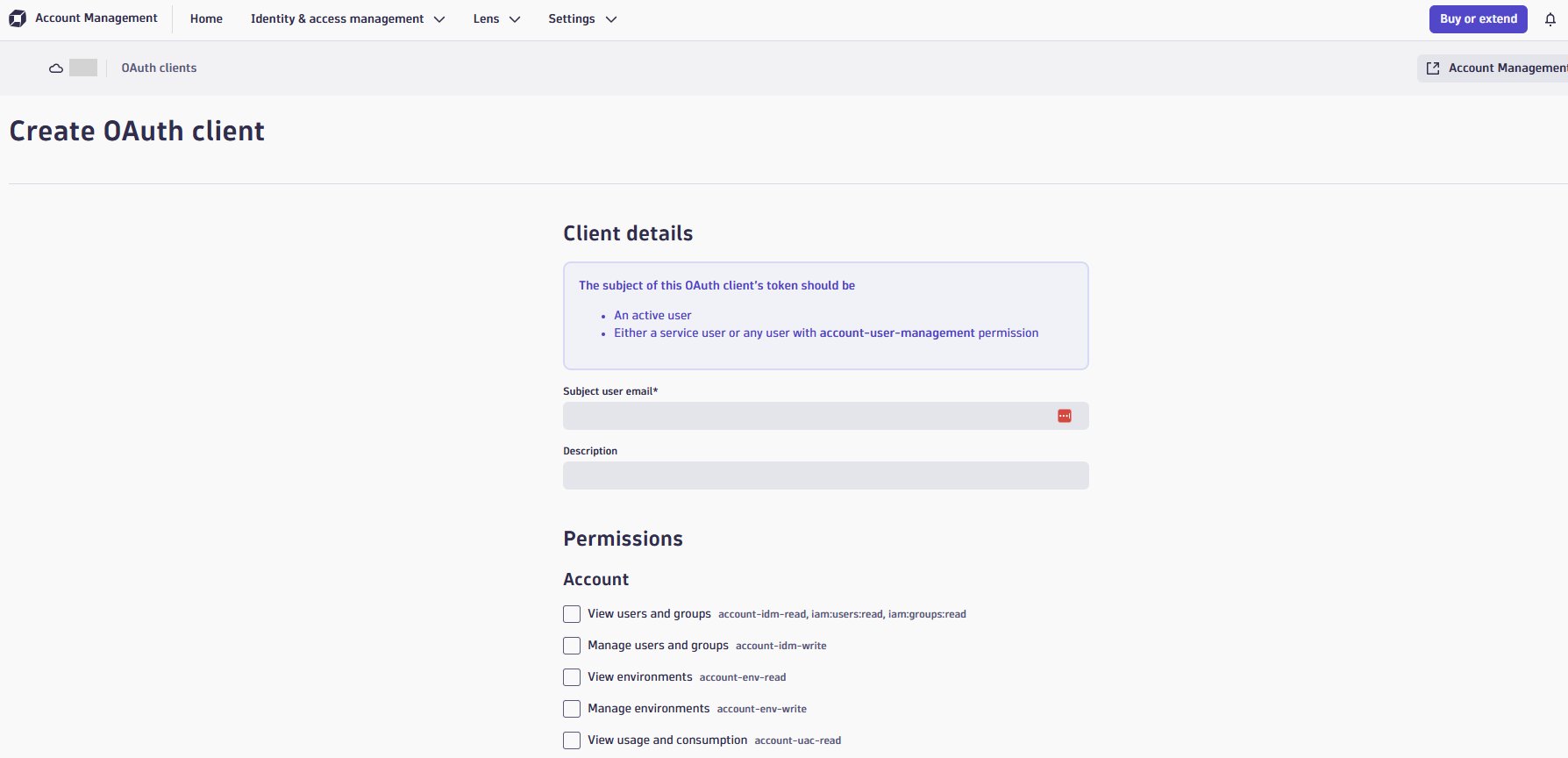
-
Copy the displayed client ID and client secret, then click Finish.
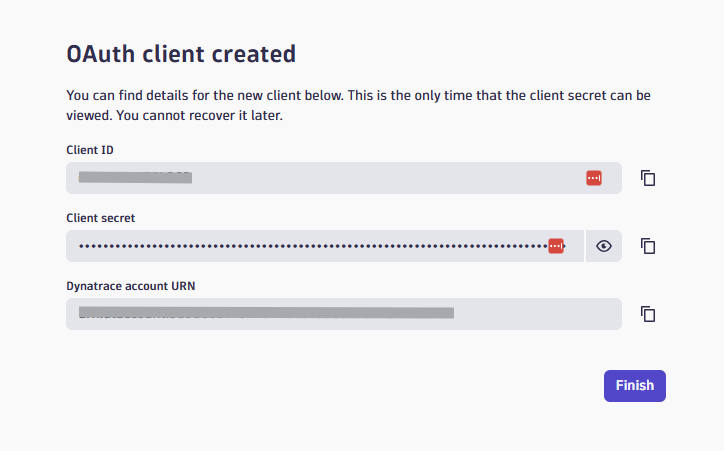
Integration Setup
- In the integrations screen, search for Dynatrace.
-
Enter any workspace name. The workspace key, client ID, and client secret obtained in the previous steps, then click Connect.
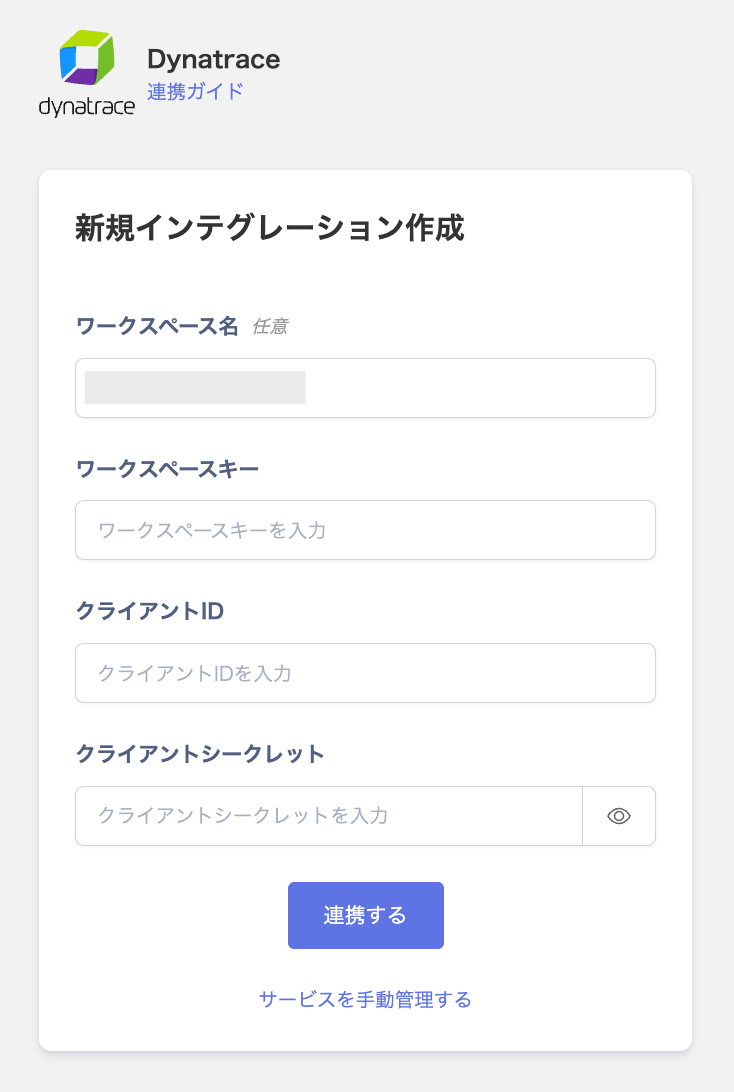
- Once the integration is successful, the registered user information will appear in the account list. If the integration does not complete successfully. Click Edit from the Status tab on the integrations screen and try again. If the issue persists, please contact us via chat.