

For details on the permissions required to use this feature, see Configure login users and roles.
Check SaaS Payment Status
The Spending screen shows data retrieved from your connected accounting service. You can also manually link SaaS payment data or remove incorrect links.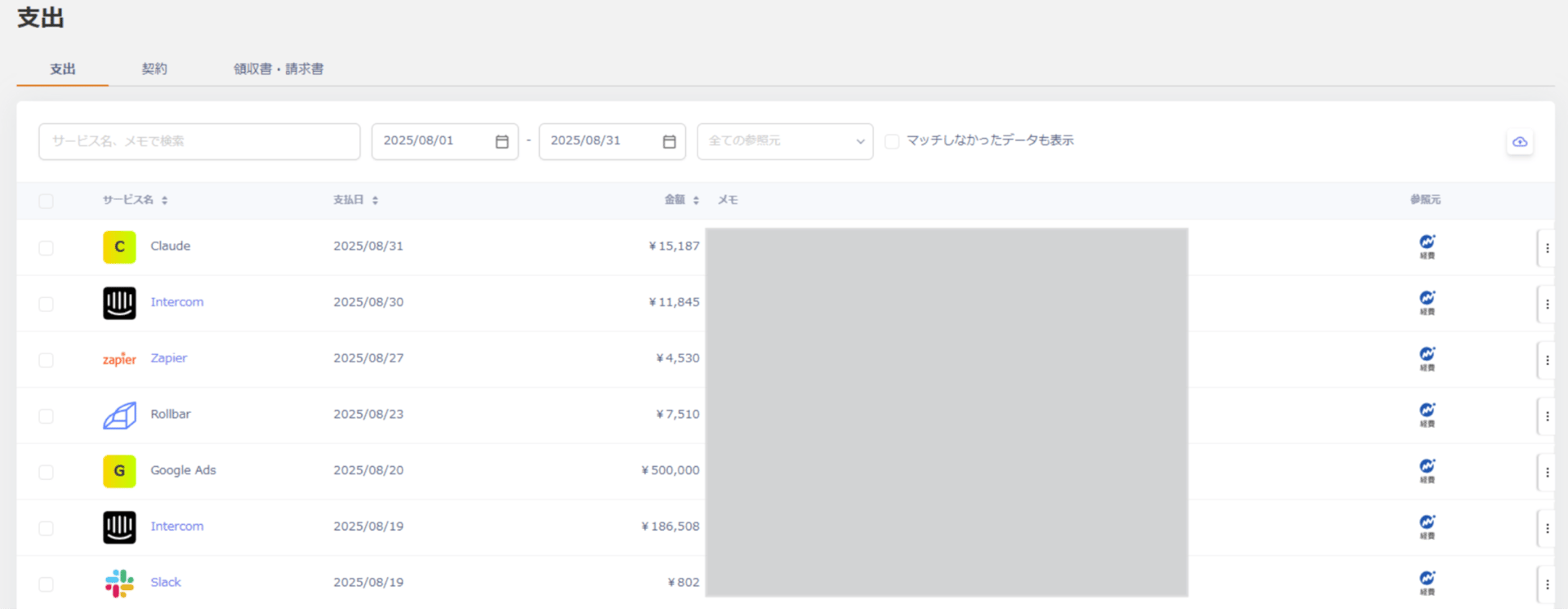
Show all data
By default, the screen shows only data that matched a SaaS name based on the memo field. To include unmatched data, checkShow unmatched data.

Change the service name for payment data (manual linking)
This service automatically matches payment data from your connected accounting system against the SaaS database. You can manually change the service name for unmatched data or incorrectly linked data. Steps-
Under Spending, click the three-dot menu [︙] for a spending entry, then click Edit.

-
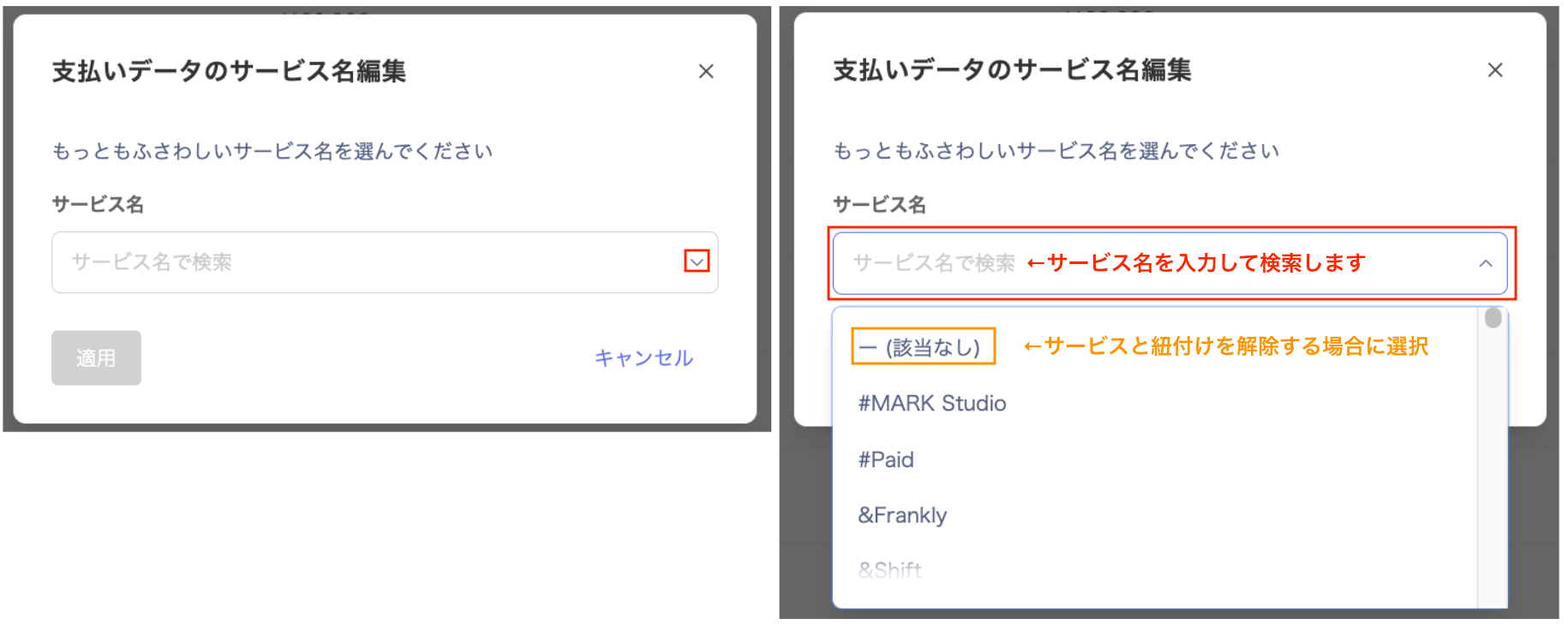
In the Edit service name for payment data screen, type and select the service name you want to link, then click Apply.
To remove the link, select — (None).
-
Confirm that the service name has changed to the one you selected.
